Color blending
What is the color blending setting?
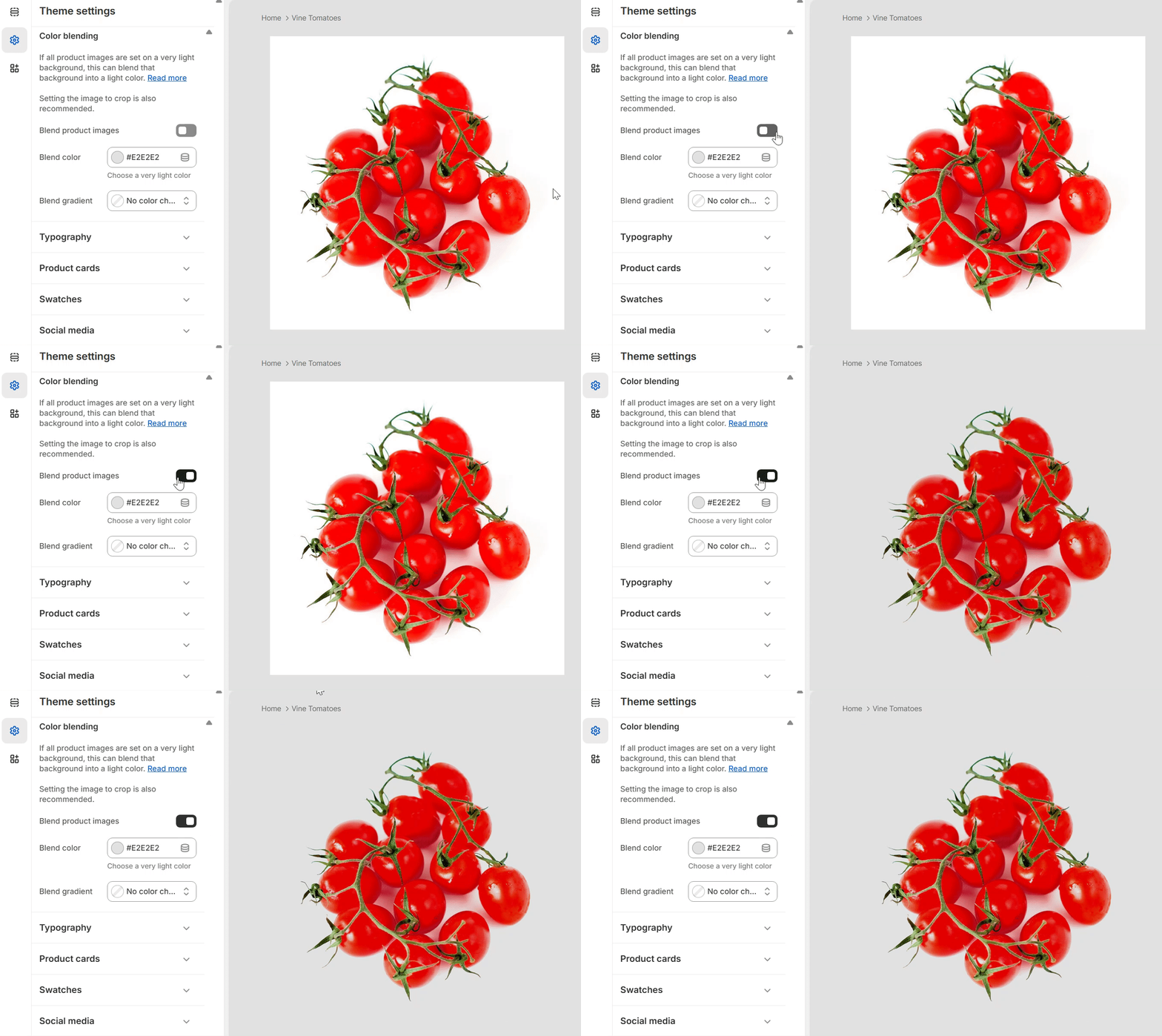
This setting allows seamless blending of product images with light backgrounds into the page's background color. This straightforward, yet powerful feature eliminates the need for time-consuming image editing, allowing you to enhance the appearance of product images in just a few clicks.
How to use the color blending setting
Step 1.
- Go to Theme settings > Advanced > Product images
Step 2.
- Select "Blend with color". This will blend the product images with light backgrounds to the Blend color selected.
Step 3.
- Click Save.
FAQs
Why can't I see any difference on my images when I turn on color blending?
The background color of your images must be very light, or preferably white. If this is not the case, color blending may not work.
What if my images are on a dark background?
This setting will not work with images with dark backgrounds.
Do the color blending settings work on the main product image on the product page?
Yes. In fact, the colors set up in Theme settings > Colors > Color blending take precedent over any color settings set up on the product page.
// Dedicated support
Got a question about the theme?
We want to help you get your store running as quickly as possible.